In closed beta on Google Play

KokoTrac

Your family's activities, schedules and costs — one place.

KokoTrac is a free mobile app for parents and guardians. It keeps every child's extracurricular life in one private place: the weekly schedule, a colour-coded calendar, course terms with check-in, absence and make-up records, and a running total of what each activity really costs and what you have already paid.

A mother walking her daughter to music class
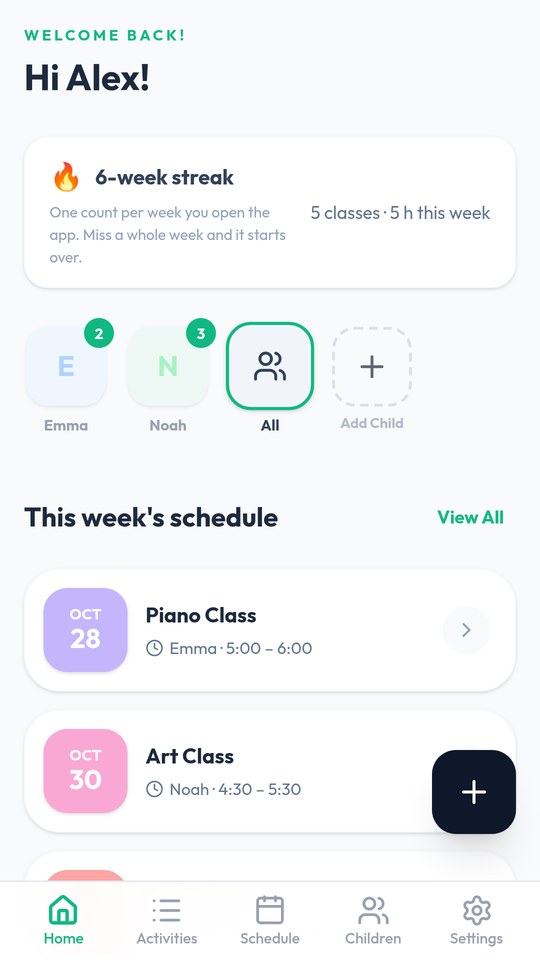
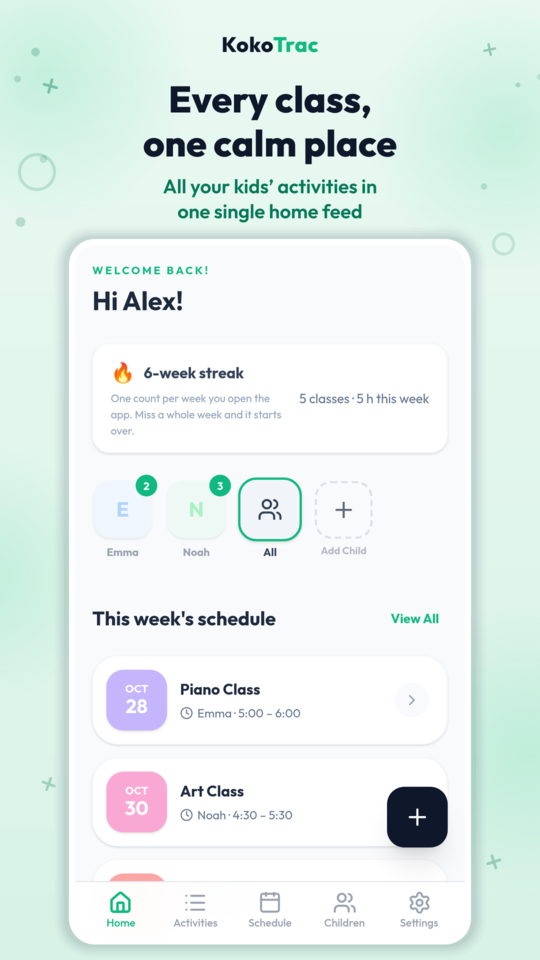
KokoTrac home screen showing this week's schedule

No account and no login are needed to read this page. Everything on this website is public; nothing here sits behind a sign-in. Signing in happens only inside the KokoTrac app, where your family's records are stored on your own device. The full details, including the Google account data we ask for and why, are in the KokoTrac privacy policy.

A look inside

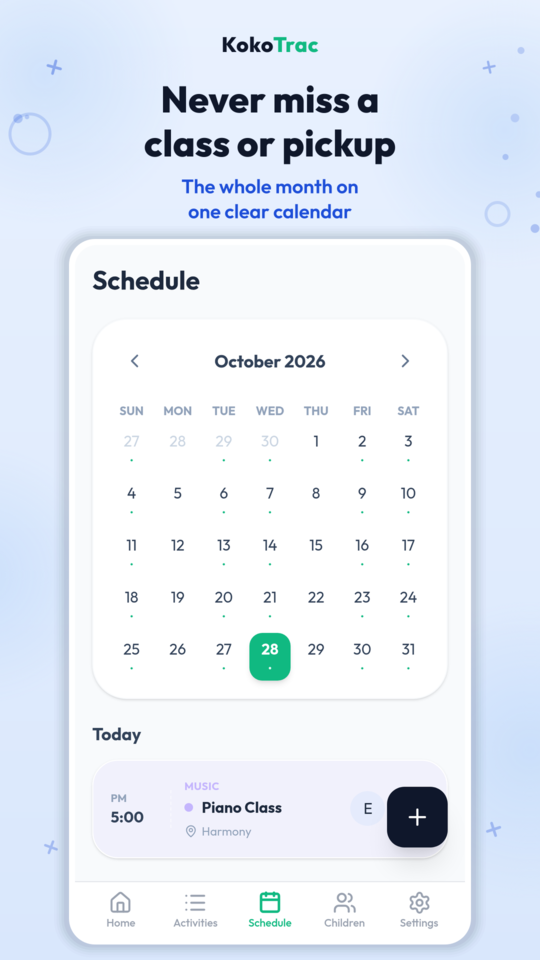
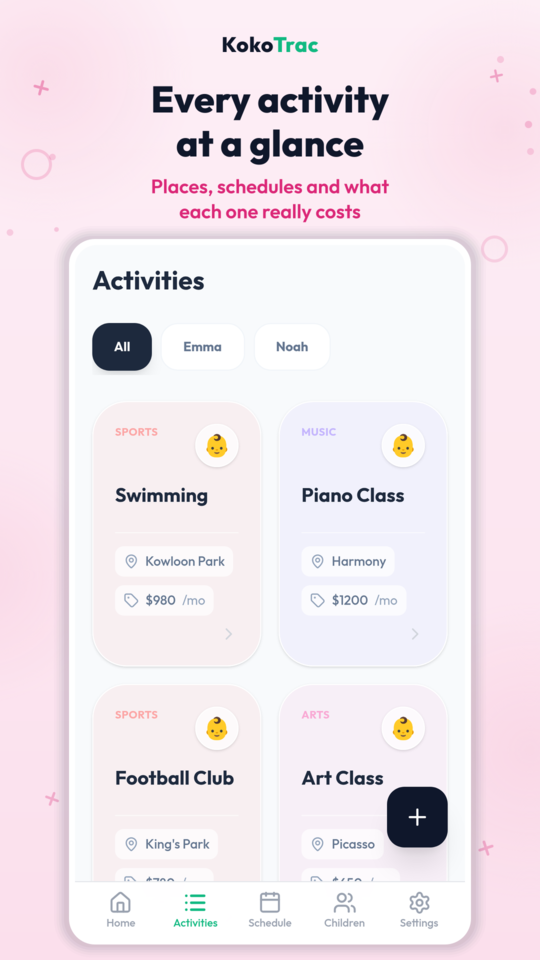
KokoTrac home screen: this week's schedule for every child at a glance KokoTrac monthly calendar with a marker on every class day KokoTrac activities list with locations and monthly costs

What KokoTrac does

One calendar for every child

A colour-coded month view with a marker on every class day, and a Today list so mornings run themselves.

Course terms, check-ins and make-ups

Terms with session quotas, one-tap check-in or absence, and a make-up lesson is never lost when a class moves.

Know what each activity really costs

Monthly, per-session or per-term billing, the payments you have made, and what is still outstanding — per child and per activity.

Private by design

Your records live on your device, with an optional cloud backup when you switch phones. No ads, no analytics, no data selling.

Twelve languages

Full interface in Traditional Chinese, Simplified Chinese and ten more languages.

Built by a parent

Made by a parent juggling the same WhatsApp groups, receipts and pickup times as you.

Why KokoTrac asks for Google account data

KokoTrac can be opened with an email address and a password. If you prefer, you can instead choose "Sign in with Google", and then Google tells us a few basic facts about your account. This is what we ask for, what we do with it, and how it is removed.

What we ask Google for

Four items only: your email address, your display name, your profile picture URL and the Google account identifier that lets us recognise you again. We request no other Google permission and never read your Gmail, Drive, Photos, Calendar, contacts, location or browsing history.

Why we ask for it

Only to create your KokoTrac account, to sign you in again on a new device, to send you the six-digit verification code for a new account, and to show your name on your own screen.

Who we share it with

Convex (convex.dev), the hosting provider that stores our account rows on our behalf, and Google itself for the sign-in. We do not sell it and we do not share it with advertisers or analytics providers, because we run none.

How it is protected

Every request runs over HTTPS with TLS encryption, so the data is encrypted in transit. Passwords are hashed, the plain password is never stored, and sign-in tokens expire.

How to delete it

Settings → Account → Delete account removes the account row, the sign-in records, the cloud backup and the device list, and clears the copy on your phone. Or email support@kokotrac.com and we remove the account's data within 30 days.

No AI, and never NCII

KokoTrac does not use Google APIs, or any other API, to generate AI content of any kind, and it never generates non-consensual intimate imagery (NCII). There is no AI feature in the app at all.

Every data type KokoTrac collects, where it goes and how to delete it is listed in the privacy policy, which also names the developer (SEAFOODHOLDHAND, Hong Kong) and links to Google's own privacy policy and API Services User Data Policy.

Frequently asked questions

Is KokoTrac free to use?

Yes. KokoTrac is free to download and use today, and no payment is taken anywhere in the app. A paid Pro tier is planned for the future, and until it launches every account can use the full app at no charge.

Can I use KokoTrac without an internet connection?

Yes. Your family's records live on your device, so you can view and edit them offline. Signing in and the optional cloud backup are the only things that need a connection.

What is a course term in KokoTrac?

Many classes are sold as a fixed set of sessions. A course term records that set in one place: its weekly schedule, the number of sessions it includes, your check-ins, reported absences and any make-up lessons, plus the price you paid for the term.

Can I track more than one child?

Yes. KokoTrac is built for families. Add each child once and every activity, schedule entry and payment is tagged to them. The calendar and this-week list combine all children by default, and you can filter down to a single child at any time.

How do I delete my KokoTrac data?

Open Settings → Account → Delete account in the app and confirm once. That removes the cloud account, the backup snapshot, the device list and the records on the device. The privacy policy documents exactly what is erased.

Which languages does KokoTrac support?

Twelve, including English, Traditional Chinese and Simplified Chinese. This website is available in English and Traditional Chinese, and the store listing follows the same languages.

You sign in inside the KokoTrac mobile app, with your email address or your Google account. This website is informational: it never asks you to log in, and nothing on it is behind an account.

KokoTrac uses Google sign-in only to identify your account. It does not use Google APIs to generate AI content of any kind, including non-consensual intimate imagery (NCII).